This could honestly be life-changing for developers who are always on the go. Imagine being able to create an issue and have Claude start working on it while you're commuting, at the gym, or just away from your computer. No need to fire up your development environment or open Claude Code - just pull out your phone, create a GitHub issue, and let Claude handle the heavy lifting. Perfect for those moments when inspiration strikes but your laptop is nowhere to be found!
Here's what to expect:
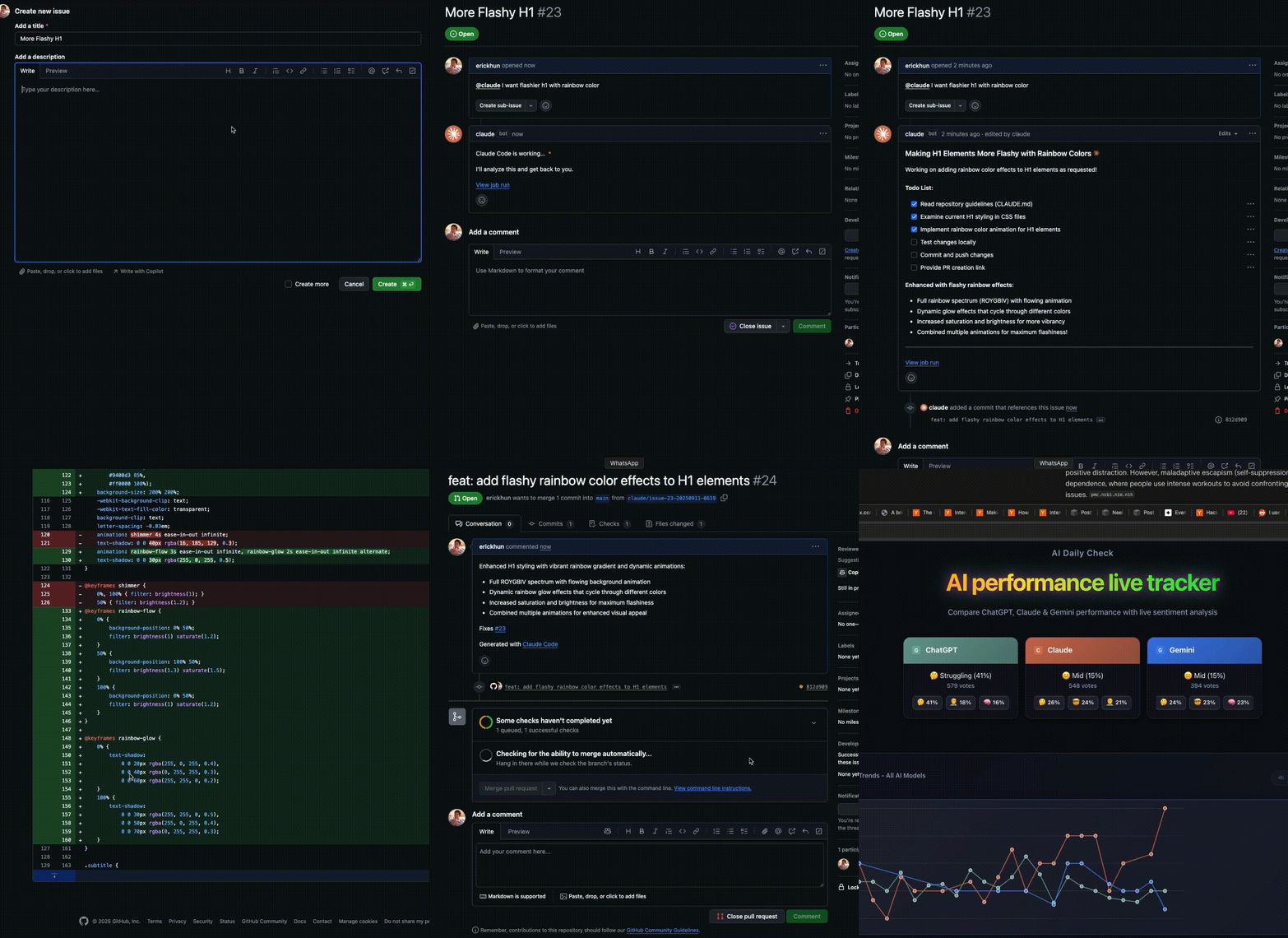
Getting Started
Head over to your Claude Code CLI and run:
/install-github-app
The CLI will walk you through the setup with a bunch of questions and automatically create the GitHub Actions workflows you need. There is also the manual way, follow the official documentation
How to Use It
Once everything's installed, using Claude is super simple. Just mention @claude anywhere in your GitHub repo - issues, pull requests, comments, you name it. Here are some examples:
@claude Please implement a function to validate email addresses in TypeScript
Claude will respond right there in the GitHub interface, just like any other collaborator would.
Set Up Your Guidelines to make it work better
Here's something super important that could save you a lot of headaches: create a CLAUDE.md file at the root of your repository before you start using the action. This is where you define your coding standards, review criteria, and any project-specific rules you want Claude to follow.
The good news? You don't have to write this from scratch. Just run:
/init
This will create a solid CLAUDE.md template that you can customize for your project. Keep that file updated. Claude will follow these guidelines when creating PRs and responding to requests.
Why is this so crucial? Unlike using Claude Code where you can have a back-and-forth conversation, the GitHub Action is more like dropping Claude into your repo with limited context. Without clear guidelines, Claude might make assumptions about your code style, file structure, or project conventions that don't match what you actually want.
Think of CLAUDE.md as your way of giving Claude a briefing about how your project works. The more specific you are, the better results you'll get.
Can I use it with my Claude Subscription?
The Anthropic team confirmed that you can use your Claude Max subscription with this GitHub Action, which is awesome.
But there's a catch - Claude Max subscriptions are meant for single users only. If you're working solo on your repos, you're golden. Use your subscription and enjoy the convenience. But if you're working with a team, things get complicated. The Anthropic team specifically said that for repos with multiple users, you should use an API key instead of your personal subscription. There's actually been at least one report of someone getting their account banned because they were sharing subscription access in a multi-user repo.
As a reminder, Claude Max subscriptions are intended for a single user, and that applies here as well. For repos with multiple users using this GitHub action, we recommend using an API key like before.
If multiple people are going to use this action in your repository, don't risk your Claude subscription. Just set up API key authentication from the start - it's not worth potentially losing access to your account.
If you want to go further, browse the GitHub Action issues if you run into problems.
Similar for ChatGPT
ChatGPT users can achieve similar functionality using Codex. Check out our guide on Code From Anywhere with ChatGPT Codex to learn how to set up GitHub integration with @codex for code reviews and cloud tasks.